The following lines I put into my .zshrc might not be very pretty, but it is short, seems to work, and I don't need to
use any of the graphical tools to ssh somewhere with my key (with
passphrase). So it works fine with my zshell and E17.
SSHPID=`ps ax|grep -c "[s]sh-agent"`
if (( $SSHPID == 0 ))
then
ssh-agent > ~/.ssh-env
source ~/.ssh-env
ssh-add
else
source ~/.ssh-env
fi
Wednesday, November 21, 2012

Sunday, February 05, 2012
CakePHP tutorials on TuxRadar
LinuxFormat presented a some time ago interesting tutorials to CakePHP. What even more interesting their share materials on TuxRadar webpage. The only problem I found is lack of some kind of list of contents, so I made one:
BTW. IF you hit this page you might be also interested in Practical PHP Programing tutorial from the same page.
- CakePHP Tutorial: Build Web Apps Faster
- CakePHP Tutorial: Storage, Baking and Slugs
- CakePHP Tutorial: Build a file sharing application
- CakePHP Tutorial: Build a bookmark site
BTW. IF you hit this page you might be also interested in Practical PHP Programing tutorial from the same page.
List of VMs on XenServer (with UUIDs)
Xen XE command is a very powerful tool, especially if you bind it with other UNIX tools such as awk. Let say we need a map of vm uuids and theirs names. We can use an output from the vm-list command and parse if with awk to get desire result.
The script first save the fifth column from a line having uuid string in it into the variable uuid. Next it saves all columns, after the third one, from line having name-label into variable vmname. Finally it prints both variables.
The exemplary output:
We can modify our command to prepare a list of all host with vms bind to them. This time we use xe vm-list with params=all option. The scripts searches for lines with the name-label and saves a name (third column). Next it looks for lines with the word affinity and a uuid (we know that UUID have to start from a hexadecimal number) and prints a saved name.
The output might looks similar to:
You might wonder why the list is so short, but we have the list of machine enforce to start from a given host (affinity to a given UUID). If you have machine on share storage allowed to flow between machine you should get very short list indeed.
xe vm-list | \
awk '{if ( $0 ~ /uuid/) {uuid=$5} if ($0 ~ /name-label/) \
{$1=$2=$3="";vmname=$0; printf "%s - %s\n", vmname, uuid}}'
The script first save the fifth column from a line having uuid string in it into the variable uuid. Next it saves all columns, after the third one, from line having name-label into variable vmname. Finally it prints both variables.
The exemplary output:
ukweb2 - fbca0851-35de-2963-bf0c-7980f3c0d96f
nagios - b741def2-14cc-def4-f8ba-ff0d3ed741d9
ukmail1 - 343c8f93-e4db-d0df-bc30-7544fcd6f14e
jira - ecc3241f-ac14-0398-4e44-ba96cd1d51d2
dodb-02 - 7f223172-e43e-a200-6dc6-b108ce4f9166
RTST-Witness Server - 3c236b0a-209f-6ac9-6d46-b14f7678bfa6
hub-01 - 60ef767c-9b87-edf8-9f13-af2185e656cd
ukweb1 - 6e0e4622-ddfe-0db8-a128-f432e05565cb
dns2 - d65e40d4-ea21-1cbf-cc86-9f522f5e04ef
ixchariot - 73f78129-86db-fd9f-81b4-85768eeee487
We can modify our command to prepare a list of all host with vms bind to them. This time we use xe vm-list with params=all option. The scripts searches for lines with the name-label and saves a name (third column). Next it looks for lines with the word affinity and a uuid (we know that UUID have to start from a hexadecimal number) and prints a saved name.
xe vm-list params=all| \
awk '{if ( $0 ~ /name-label/) {$1=$2=$3=""; vmname=$0} \
if ($0 ~ /affinity.*\:\ [a-e,0-9]/) {host=$4; printf "%s \n", vmname}}'
The output might looks similar to:
Control domain on host: p1-m4
   Control domain on host: p1-m2
   dodb-02
   ukweb5
   Control domain on host: p1-m3
   Control domain on host: p1-m1
You might wonder why the list is so short, but we have the list of machine enforce to start from a given host (affinity to a given UUID). If you have machine on share storage allowed to flow between machine you should get very short list indeed.
Tuesday, January 24, 2012
Crux and Mercurial view
I've spent quite some time trying to make hg view to work on my Crux. All time I got error message:
I could not understand what going on. I enable hgk in /etc/mercurial/hgrc or ~/.hgrc. I specified the full path to hgk.py in there as well. I even modify default python path. It didn't work.
After some time of googling, changing various variables I found somewhere (probably on Mercurial page), that some Linux distro missing hgk even if they provide hgk.py. Now I know that Crux is one of them. I copied hgk from contrib directory in source package to /usr/bin and now hg view works fine.
hg view /bin/sh: hgk: command not found
I could not understand what going on. I enable hgk in /etc/mercurial/hgrc or ~/.hgrc. I specified the full path to hgk.py in there as well. I even modify default python path. It didn't work.
After some time of googling, changing various variables I found somewhere (probably on Mercurial page), that some Linux distro missing hgk even if they provide hgk.py. Now I know that Crux is one of them. I copied hgk from contrib directory in source package to /usr/bin and now hg view works fine.
Saturday, January 14, 2012
Aptitude advance usage
Some time ago on the Debian mailing list there was a discussion (there
are many discussion over there ;). That one was extremely interesting,
not because of the problem (I don't remember it), but because of the Jörg-Volker. Peetz mail with information on advance aptitude usage:
"I would try the following:
- to find out what is installed
aptitude search '~iapache'
- why it is installed
aptitude why apache2-mpm-worker
maybe this one is only recommended by another package
- and what depends on this package
aptitude search '~i~Dapache2-mpm-worker'
- finally, see what would happen, if it is removed:
aptitude -s purge apache2-mpm-worker"
In the same thread Bernd Semler suggested following command:
apt-cache rdepends $packagename
The original thread can be found here: http://lists.debian.org/debian-user/2011/10/msg01472.html
"I would try the following:
- to find out what is installed
aptitude search '~iapache'
- why it is installed
aptitude why apache2-mpm-worker
maybe this one is only recommended by another package
- and what depends on this package
aptitude search '~i~Dapache2-mpm-worker'
- finally, see what would happen, if it is removed:
aptitude -s purge apache2-mpm-worker"
In the same thread Bernd Semler suggested following command:
apt-cache rdepends $packagename
The original thread can be found here: http://lists.debian.org/debian-user/2011/10/msg01472.html
Monday, January 09, 2012
XenDebian.py to install Debian on XenServer/XCP
Recently, I've needed to install many Debian VMs onto XenServers and, of course, wanted to automate it. One of my colleagues pointed that rather use existing tools like Cobbler I should take opportunity of working with world leading XenAPI developers and learnt it by writing some code. I took that advice and started to write a python script.
During that I decided that I could improve XenAPI documentation. I spent some extra time on my program and tried to write the code clear and with as many comments as possible, so other can learn from it and reuse it. I hoped to write even more documentation (some tutorial) based on my experiences, unfortunately I haven't had enough time.
Please find short XenDebian.py documentation on Xen wiki:
http://wiki.xen.org/wiki/XenDebian.py
and code on GitHub:
https://github.com/wawrzek/XenDebian
The script is called XenDebian, but with minor modification (new preseed file and change distro name in few places) you should be able to use it with Ubuntu. With a few more modification it should works for any distribution.
Finally, thanks to Project Kronos you would be soon able to install use XenDebian to install many Debian on Debian!
During that I decided that I could improve XenAPI documentation. I spent some extra time on my program and tried to write the code clear and with as many comments as possible, so other can learn from it and reuse it. I hoped to write even more documentation (some tutorial) based on my experiences, unfortunately I haven't had enough time.
Please find short XenDebian.py documentation on Xen wiki:
http://wiki.xen.org/wiki/XenDebian.py
and code on GitHub:
https://github.com/wawrzek/XenDebian
The script is called XenDebian, but with minor modification (new preseed file and change distro name in few places) you should be able to use it with Ubuntu. With a few more modification it should works for any distribution.
Finally, thanks to Project Kronos you would be soon able to install use XenDebian to install many Debian on Debian!
Wednesday, January 04, 2012
xe-patch
Recently I wrote a very small script to apply XenServer patches from command line.
To use if first you need to download a patch (you might try to find any new patch here), and next use the script:
./xe-patch hotfix.zip
#!/bin/bash

unzip $1
filename=`basename $1 .zip`.xsupdate
echo "Applying $filename"
xe patch-pool-apply uuid=`xe patch-upload file-name=$filename`
To use if first you need to download a patch (you might try to find any new patch here), and next use the script:
./xe-patch hotfix.zip
Thursday, December 29, 2011
The power of find - exec and friends (grep, sed)
This is quite old post. I started to write it in October 2010, but could not properly polish it for a long time.
Today I would like to present an example of usage of find (and grep) rooted in Crux. Let say that I want to find all packages in version 20100511 (this was true scenario when I wanted to update e17 related ports). Translating into less Crux specific language it means that I had to find all Pkgfile files (simple find), which had string 20100511 (simple grep). I needed only file names not a matching string so I used -l option for grep.
In UNIX world there are always more than one way of doing things and in our scenario the find -exec can be replace with a separate command xargs. Xargs might be very useful in many cases because can be use to create unix command from standard input. Using xargs rather then find -exec my first example would be:
Today I would like to present an example of usage of find (and grep) rooted in Crux. Let say that I want to find all packages in version 20100511 (this was true scenario when I wanted to update e17 related ports). Translating into less Crux specific language it means that I had to find all Pkgfile files (simple find), which had string 20100511 (simple grep). I needed only file names not a matching string so I used -l option for grep.
find . -name Pkgfile -exec grep -l 20100511 {} \;
I not only needed to find all old files but to updated them as well (to version 1.0.0.beta that time). I used the same find but exchanged grep to sed (with option -i for "in place").
find . -name Pkgfile -exec sed -i 's/20100511/1.0.0.beta/ {} \;
Let push our example one step further. I wanted to find dependence for packages, therefore I ran following command.
grep -i depen `find . -name Pkgfile -exec grep -l beta {} \;
What used previous command to create a list of files to hunted through for word beta. (I wasn't sure if word "dependence" begun lower or upper case so used option -i for --ignore-case).
In UNIX world there are always more than one way of doing things and in our scenario the find -exec can be replace with a separate command xargs. Xargs might be very useful in many cases because can be use to create unix command from standard input. Using xargs rather then find -exec my first example would be:
find . -name Pkgfile | xargs grep -l beta $1
Let use xargs for another task related to above example. In my scenario I had not only to update the version, but also to change the sources of the packages. To do that I used find, xargs and sed in a for loop.
for file in `find . -name Pkgfile  | xargs grep -l beta $1 2&> /dev/null` ; \
do \
 sed -i 's/pitillo.mine.nu\/crux\/distfiles/download.enlightenment.org\/releases/' $file; \
done
The above command might be one liner, but can be paste line by line. It used the command from the previous example to create the $file array consist of names of files with word "beta". Elements from $file were use as input for sed command.
Wednesday, December 21, 2011
Mount LVM from domU in dom0
Mounting logical volumes (LVM) from domX (guest) within dom0 (XenServer) is very not recommender and suggested. But sometimes it might be the only options, and it's cool hacker (hacker in good old meaning, not cracker) trick. So to mount your volume you should take following steps:
- xe vm-disk-list vm=test4 - list disk of the VM.
- xe vm-list - find info (UUID) about dom0.
- xe vbd-create device=xvda unpluggable=true vdi-uuid=79a7a556-a6ba-48cf-8c82-30fa5bb9597c vm-uuid=36895434-e6d7-4fea-8271-d5477ca23c6d - create unpluggable VBD (xvda) with disk (uuid from point 1) on dom0 (uuid from point 2).
- xe vbd-plug uuid=0a4151b6-2b59-2fdb-c0a9-492520a8d52c - plug created vbd.
- mount /dev/xvda1 /mnt - mount disk (any 'physical partition').
- vi /etc/lvm/lvm.conf - if you need anything on LVM you have to edit lvm.conf
- vgchange -a y test4 - activate new vg.
- mount /dev/test4/root /test/mnt - mount partition.
# Ignore /dev/xvd* devices to prevent deadlocking when live-snapshotting
# dom0-attached LVHD VDIs
#filter = "r|/dev/xvd.|","r|/dev/VG_Xen.*/LV.*|"
Monday, November 28, 2011
XenServer, xe and more greping
In my last post I described how you can use grep to extend listing of XenServer parameters. Continuing this thread today, I show how to get values of specific parametes, let say memory.
You can get memory using following command, but I bet it's not you expect.
More interesting values you can get using params=all. The problem is that you will get hundreds of other values too. This is not helpful, but of course grep can help us:
It's not so useful yet, because we have only memory related value, but we don't know relation between them and VMs. Luckily, we can very easily extend our grep.
Now we know that the at10 has 0.5GB, the at11 1GB and the dom0 might have between 386 and 771 MB.
Summary
Of course similar construction in grep query might be use for other variables.E.g. to have the list of live VMs try:
You can get memory using following command, but I bet it's not you expect.
# xe vm-list params=memory
memory (MRO)    :


memory (MRO)    :
More interesting values you can get using params=all. The problem is that you will get hundreds of other values too. This is not helpful, but of course grep can help us:
# xe vm-list params=all| grep memory
memory-actual ( RO): 536870912
memory-target ( RO):
memory-overhead ( RO): 6291456
memory-static-max ( RW): 536870912
memory-dynamic-max ( RW): 536870912
memory-dynamic-min ( RW): 536870912
memory-static-min ( RW): 536870912
recommendations ( RO):
memory-overhead ( RO): 15728640
memory-static-max ( RW): 789839872
memory-dynamic-max ( RW): 500170752
memory-dynamic-min ( RW): 500170752
memory-static-min ( RW): 395313152
memory (MRO):
memory-actual ( RO): 1073741824
memory-target ( RO):
memory-overhead ( RO): 10485760
memory-static-max ( RW): 1073741824
memory-dynamic-max ( RW): 1073741824
memory-dynamic-min ( RW): 1073741824
memory-static-min ( RW): 1073741824
recommendations ( RO):
It's not so useful yet, because we have only memory related value, but we don't know relation between them and VMs. Luckily, we can very easily extend our grep.
# xe vm-list params=all| grep "label\|memory"
name-label ( RW): at10
memory-actual ( RO): 536870912
memory-target ( RO):
memory-overhead ( RO): 6291456
memory-static-max ( RW): 536870912
memory-dynamic-max ( RW): 536870912
memory-dynamic-min ( RW): 536870912
memory-static-min ( RW): 536870912
recommendations ( RO):
memory-overhead ( RO): 15728640
memory-static-max ( RW): 789839872
memory-dynamic-max ( RW): 500170752
memory-dynamic-min ( RW): 500170752
memory-static-min ( RW): 395313152
memory (MRO):
name-label ( RW): at11
memory-actual ( RO): 1073741824
memory-target ( RO):
memory-overhead ( RO): 10485760
memory-static-max ( RW): 1073741824
memory-dynamic-max ( RW): 1073741824
memory-dynamic-min ( RW): 1073741824
memory-static-min ( RW): 1073741824
recommendations ( RO):
Now we know that the at10 has 0.5GB, the at11 1GB and the dom0 might have between 386 and 771 MB.
Summary
Of course similar construction in grep query might be use for other variables.E.g. to have the list of live VMs try:
xe vm-list params=all| grep -i -E '(label|\s+live)'
Friday, November 25, 2011
XenServer CLI and grep by name
One of the annoying thing in XenServer command line tool (xe) is lack of regexp/wildcards in filtering vm (and other objects) by name. However, there is easy way to work around thanks to grep. Standard output have 3 lines per vm, with one line before (-B 1 in grep) and one after (-A 1) line with name. So you can use following line to find information about VM with given name:
You can also extend this command to get uuid of requested vm:
What can be use i.e. to take the snapshot:
xe vm-list | grep -B 1 -A 1 your-vm-name
You can also extend this command to get uuid of requested vm:
xe vm-list | grep -B 1 your-vm-name| awk '/uuid/ {print $5}'
What can be use i.e. to take the snapshot:
vm-uuid=`xe vm-list | grep -B 1  dowa| awk '/uuid/ {print $5}'`
xe vm-clone name-name-label='dowa-01-clone' uuid=$vm-uuid
Wednesday, October 12, 2011
Debian, DHCP and IPv6
It was big surprise for that in Debian /etc/network/interface you cannot us
iface ethX inet6 dhcp
option to use DHCPv6 client to set IP address. If you need IPv6 address from DHCP server, you should can either define interface manually:
iface eth1 inet6 manual
 up /sbin/ip link set eth1 up
 post-up /etc/init.d/wide-dhcpv6-client start
 pre-down /etc/init.d/wide-dhcpv6-client stop
 down /sbin/ip link set eth1 down
or plug it into IPv4 definition (i.e. inet dhcp).
inet dhcpiface eth1 inet dhcp post-up /etc/init.d/wide-dhcpv6-client start pre-down /etc/init.d/wide-dhcpv6-client stop
Wednesday, June 01, 2011
Another awk example
This time how to print all columns others than first one, but only for lines begins with i.e. exim4-config.
Oh, I obtained the list using:
hub-02:~# awk '/^exim4-config/ {$1=""; print }' test2
And I got:
 exim4/dc_smarthost string smtp.uk
 exim4/dc_relay_domains string
 exim4/dc_relay_nets string
 exim4/mailname string hub-01.uk
 exim4/dc_localdelivery select mbox format in /var/mail/
 exim4/dc_local_interfaces string 127.0.0.1
 exim4/dc_minimaldns boolean false
 exim4/dc_other_hostnames string
 exim4/dc_eximconfig_configtype select mail sent by smarthost; received via SMTP or fetchmail
 exim4/no_config boolean true
 exim4/hide_mailname boolean false
 exim4/dc_postmaster string toor
 exim4/dc_readhost string
 exim4/use_split_config boolean true
BTW. I need this list to filter responses used to configure Exim in Debian. And I need the answers to reuse them in pressed.
Oh, I obtained the list using:
debconf-get-selections --install > test2
Friday, April 08, 2011
Xenserver & ipmitool
I found that to enable access BMC information locally from Xenserver you need to load following modules:
ipmitool -I open channel info
Tested on Dell R310 without Drac module.
Another thing worth to note about Dell and it's BMC — it is not enable by default and you need to press Ctrl+E in the right moment and turn it on.
UPDATE
Dell support was wrong I can turn on access to BMC over LAN without rebooting box:
IPMITOOL man: http://ipmitool.sourceforge.net/manpage.html
- modprobe ipmi_msghandler
- modprobe ipmi_devintf
- modprobe ipmi_si
ipmitool -I open channel info
Tested on Dell R310 without Drac module.
UPDATE
Dell support was wrong I can turn on access to BMC over LAN without rebooting box:
- ipmitool -I open lan set 1 access on
- ipmitool -I open lan set 1 user
- ipmitool -I open lan set 1 ipsrc dhcp
IPMITOOL man: http://ipmitool.sourceforge.net/manpage.html
Saturday, February 12, 2011
not so talkative expect
I'm not sure how I could miss it, but just recently I learned how to set expect not to send everything to the standard output. In the expect file you have to set log_user 0. you can change it but by log_user 1.
This is very helpful to write bash scripts i.e. using my remote_command.expect script - awking output is much easier.
This is very helpful to write bash scripts i.e. using my remote_command.expect script - awking output is much easier.
Tuesday, January 11, 2011
Expect, telnet and Dell switch
Recently I've tried to find a way to obtain MAC addresses of computers attached to a Dell Switch. I've found that i.e. show bridge address-table ethernet 1/g3 returns MAC addresses behind the port 3. I found small problem - it's not so easy to query all ports (or a chosen set of ports). Therefore, I decided to use expect. You can find the script below.
It connects to a switch run the command and finally print a mac address in the format with ':' between number doublets.
However, there are two issues. I don't know how to avoid sending everything to the standard output. Moreover, if there are more than one MAC address connected to the port (i.e. virtual machines), only first address will be print on the bottom of the output. To be precise the address appears in the line 6 of output (see line started with set temp_mac).
It connects to a switch run the command and finally print a mac address in the format with ':' between number doublets.
However, there are two issues. I don't know how to avoid sending everything to the standard output. Moreover, if there are more than one MAC address connected to the port (i.e. virtual machines), only first address will be print on the bottom of the output. To be precise the address appears in the line 6 of output (see line started with set temp_mac).
#!/usr/bin/expect -f

set timeout -1

set machine [lindex $argv 0]
set port [lindex $argv 1]
set command "show bridge address-table ethernet 1/g$port\n"

#Connect to the server
spawn telnet $machine

expect "User:"
exp_send "admin\r"
expect "Password:"
exp_send "myXEN\r"
expect "?*>"
exp_send "enable\r"
expect "?*#"
exp_send $command
expect "?*#"
set temp_mac [ lindex [ lindex [ split $expect_out(0,string) "\n"] 6] 1]
exp_send "exit\r"
exp_send "quit\r"

puts "\n"

# Creating mac address in DHCP format (with ':')
set mac [ string range $temp_mac 0 1 ]
append mac "."
append mac [ string range $temp_mac 2 6 ]
append mac "."
append mac [ string range $temp_mac 7 11 ]
append mac "."
append mac [ string range $temp_mac 12 13 ]

puts  "$machine/$port:  [ string map  {. :} $mac]"

exit
Oh one more thing. To make a list of all following it's good to run the script in loop and the following one should be good base to start with.for ((i=1;i<48;i++)) do mac-dell.expect esw44-1 $i| grep "esw44-1/$i"; done
Wednesday, January 05, 2011
Upgrade Dell BIOS from XenServer 5.6
I've just found that to upgrade the Dell BIOS for R310 (and I guess other servers) on XenServer 5.6 you have to provide the lockfile file which comes from the procmail RPM.
Wednesday, December 29, 2010
Expect, ssh and two passwords
Let say that you need to run a command on many remote machine and you cannot use any of specialist tools (I mean i.e. func). In such situation expect might be helpful and I even has written about it already. Recently I had to modified my script, cause not all remote systems have the same root password.
#!/usr/bin/expect -f

set timeout -1

set machine [lindex $argv 0]
set command [lindex $argv 1]

set pass "xen4ulez\r"
puts $machine

spawn ssh -o "NumberOfPasswordPrompts 2" -o "ServerAliveCountMax 1" -l root $machine $command
match_max 100000

expect {
    "assword:"
      {
        exp_send $pass
        set pass "xen!king\r"
        exp_continue
    }
}
First, the script has a password set as a variable. It allows to change later. To to this I have expanded the 'expect password' part of the script. Now the script sends the password and changes it after. If the password was fine, script executes the command. The change of the password is not important. If the password is wrong the script sends the variable $pass again, but this time it is new value. I have also added to option to ssh command for script to run a bit faster.- NumberOfPasswordPrompts 2 - ensure that ssh tries only twice to provide password.
- ServerAliveCountMax 1 - ensure that ssh sends only one Server Alive message
Thursday, July 29, 2010
Do something every minut in shell
Recently I've needed to do some statistic based on apache log file. I've wanted statistic to be update every minute and want to use only shell.
The first idea was cron. Sounds nice but there is small problem. I want to be flexible. In theory I can add a job to crontab in the moment I want to start it and remove it (comment out) after finishing, but it's ideal.
No cron, so maybe sleep, especially sleep 60.... But there is another problem. My scripts runs few seconds, so after few minutes (approx. 60/time my scripts runs) I'll have a gap in results.
No cron, no sleep. I needed another direction. Recently I've been playing a bit with data formats. I write a bit of code and after few minutes – volia – I had a working scripts.
The first idea was cron. Sounds nice but there is small problem. I want to be flexible. In theory I can add a job to crontab in the moment I want to start it and remove it (comment out) after finishing, but it's ideal.
No cron, so maybe sleep, especially sleep 60.... But there is another problem. My scripts runs few seconds, so after few minutes (approx. 60/time my scripts runs) I'll have a gap in results.
No cron, no sleep. I needed another direction. Recently I've been playing a bit with data formats. I write a bit of code and after few minutes – volia – I had a working scripts.
#!/bin/sh

min=`date  "+%M"`

while [ 1 ]
do
        ~/test.sh
        while (($min==`date  "+%M"`))
        do
                sleep 10
        done
        min=`date  "+%M"`
done
One more thing which might be interesting for some. I used infinite loop based on this blog entry.
Wednesday, June 23, 2010
How to check a website from the commandline
Sometimes it's useful to check a website connectivity using only command line. I.e. when trying a website from remote host, or when you set up a new box you are going to put behind a loadbalancer.
If you need HTTP connection, telnet will be enough:
In the case of HTTPS you need openssl:
This is entry for my extend my 'external memory', but you might find
it useful.
If you need HTTP connection, telnet will be enough:
> telnet 10.10.10.10 80
GET /index.html HTTP/1.1
host: important.site.com
In the case of HTTPS you need openssl:
> openssl s_client -connect 10.10.10.10:443 -prexit
GET /index.html HTTP/1.1
host: important.site.com
Tuesday, February 09, 2010
Copy many lines in Emacs
I'm VIM not Emacs user, but use the later one to applied DNS changes. It has two nice feature helping to maintenance BIND zone files. First, built-in versioning in RCS, but even more helpful the mechanism of updating serial number.
Anyway, I found it's very hard to copy more than one line in Emacs, until I found some suggestion here and here. So to copy the current line without the newline you have to one of two (depends if you want copy or move the lines):
Anyway, I found it's very hard to copy more than one line in Emacs, until I found some suggestion here and here. So to copy the current line without the newline you have to one of two (depends if you want copy or move the lines):
C-a C-Space C-e M-w
C-a C-Space C-e C-wIt means: C-a move to beginning of the line, C-Space sat the mark, C-e go to end line, M-w/C-w save/delete(kill) the region. "OK, but it only one line" you may save and you would be right. But to mark more line you just need to i.e. use arrow before marking a text (by M-w).
Thursday, January 28, 2010
64 vs 32 rather then SSD vs HDD
Introduction
Some time ago I promised to present results of the performance test of an Apache serving content from HDD and SSD. The tests confirmed that SSD gives Apache serving static content significant performance boost, however the other remedy for I/O problem has been found.
It's not so easy to test a system from inside. It also applies to the internet. The "image" you see is not exactly what your customers might see. There are some tools helping measure the "real image" of your website (i.e. KeyNote), but to test a difference of performance between two server visible as one entitle from outside (i.e. behind load-balancer) such test are not ideal. (Of course it is possible to prepare a A/B test when A means serving images from one server, B from another one). The web search hadn't brought any technique and parameters useful in such test (of course it might means that the search was not very good). Therefore, the serving speed [byte/microsecond] parameter were define as ratio of file size [bytes] and response time [microseconds], respectively
%B and %D in extended Apache log.SSD vs HDD
In the first test the SSD box (Sun X4150 with 8 Xeon E5345 @ 2.33GHz cores and 8 GB of memory) was try out against HP ProLiant D380 G5 with the same amount of memory and 4 similar processors/cores (Xeon 5148 @ 2.33GHz). The test were split into two phase. Results for both ones are collected in Table 1. The first day both boxes serve the same amount of requests. The SSD machine sent files two time faster. Next day the weight of connection to machine with SSD was increase on the load balancer, but it doesn't change the results. The SSD box was much faster again. The data presented in Table 1 ensure that both boxes worked with similar set of files (similar size and number of requests).
Table 1. Comparison of server with SSD (SUN X4150) and HDD (HP D380 G5) drives.
| SSD machine | HDD machine | |
|---|---|---|
| Day I | ||
| Average speed 24.27563 Average time 13908.68485 Average size 7683.71685 Served files 14983388 |
Average speed 12.23371 Average time 24674.27763 Average size 7702.66678 Served files 14987023 | |
| Day II | ||
| Average speed 23.76447 Average time 13107.95822 Average size 7839.91839 Served files 21522835 |
Average speed 11.10400 Average time 26001.08215 Average size 7829.47865 Served files 10758116 | |
During next phase of research the SSD machine was tested again wider set of servers with HDD servers (machines with Apache using different MPM (prefork and worker), with 8 or 16 GB of memory and with slower and faster processors). SSD machine was faster than any of the server with a classical hard drive. Adding memory as well as changing MPM didn't change the difference in the performance. On the other hand, the machine with more and newer processor sent files much faster than the old ones, however still 50% slower than the SSD test kit.
Table 1. Comparison of Apache performance on machine with a SSD against different machine using a HDD. SUN SSD means the test boxs, OLD HP a box with 4 L5430@2.33Ghz core and NEW HP a server with 8 E5345 cores.
| OLD HP | NEW HP | SUN SSD | |||
|---|---|---|---|---|---|
| speed | 16GB (prefork) | 8GB (prefork) | 8GB (worker) | 16GB (worker) | 8GB, (worker) |
| Test 1 | 9.73669 | 10.99227 | 10.82629 | 16.81683 | 24.18491 |
| Test 2 | 9.56062 | 10.57697 | 10.51381 | 16.32999 | 24.41852 |
| Test 3 | 8.69836 | 9.83142 | 9.65313 | 16.16164 | 24.39481 |
| Test 4 | 9.03057 | 10.12731 | 9.98168 | 15.60127 | 24.16711 |
32bit vs 64bit
In the mean time another two things occurred. On the one hand, another test machine, this time with 64bit OS, was built.The first results showed significant decrease of the load and the number of I/O (read) operation. Figure 1 and 2 are good indicator how drastic it was change, even if they were prepared on latter production boxes. Moreover, a change in some of the production server settings exhibited that the machine do not properly caching content served by Apache.

Figure 1. Load on a production system before and after changing OS from 32 to 64 flavour.

Figure 2. I/O operation on a production system before and after changing OS from 32 to 64 flavour.
Further investigation of both phenomena showed that the I/O problem mentioned in the first part of article was cause by inefficient caching, what was cause by memory wasting on a server with 32bit OS. By default Apache is using the sendfile() function rather than the combination of read() and write() functions to transfer files from a storage to a network interface (so called zero copy approach). It speeds up a data transfer by avoiding switching context from kernel to user space, but it also means that Apache cache is limited because on 32-bit OS it cannot allocate more than 3GB of memory.
To confirm that a 32bit OS was causing of performance issues another test on live system was conduct. When comparing two identical servers with 16GB of memory and 8 E5345 Xeon cores, one running a 32bit and second 64bit OS, following observation was made:
- The load decreases from around 2 to 0.5 (Figure 1).
- The read from disk decreases from 2.5 to 0.6 [megabytes/second] (Figure 2).
- The memory usages increase from 2.5-3 to 16 (full memory) GB.
- The average Apache speed increase from around 12 to 30 [bytes/microsecond] (Figure 3).

Figure 3. Comparison of the Apache speed (speed of sending static content) on 32 and 64 bit OS.
Summary
During the tests the SSD showed its superiority to the classical HDD storages. However in the case of serving a static content from a web server using a distributed memory caching technique might be faster, more scalable and even cheaper solution.
Another conclusion from above research, probably less and less important as there are less and less of x86 32bit servers, that 64 bit OS might be really faster, especially in the case of system with big amount of memory.
Thursday, January 07, 2010
Short (mostly shell) fomulas
If you hit this website looking for a Linux/shell/UNIX related advice you might want to visit my identi.ca account. I post "short, magic", Linux formula there now. You know something like:
How to split lines in VIM?
How to split lines in VIM?
s/\,/,[ctrl-V][Enter]/gwhere [ctrl-V][Enter] - means type Ctrl+V and next Enter (you should see s/\,/,^M/g)
Friday, November 13, 2009
noatime
If you need I/O performance bust it might worth to turn on noatime flag on important partitions. Look down to see how it pushed down the read level on a server with Apache serving a static content.

Usually I add noatime flag during a system installation, but this time forgot about it and had to remount the file system. Thanks that mistake I got this beautiful image ;)
You can go even further and turn on nodiratime, it should decrease read even more.

You can go even further and turn on nodiratime, it should decrease read even more.
GMAIL and msmtp (Mutt)
This is the example how to configure the msmtp (i.e. for Mutt) to use thegmail smtp server. Remember that you need the certificate. I have got mine from old Ubuntu installation (Saving
/etc directory before reinstallation a box is good idea).
account your.user
logfile ~/.msmtp.log

tls on
tls_starttls on
tls_trust_file /etc/ssl/certs/ca-certificates.crt
auth on

host smtp.gmail.com
port 587
from your.user@gmail.com
user your.user@gmail.com
password YOUR_password
BTW, in Ubuntu you can grab certificate by sudo apt-get install ca-certificates.
Sunday, October 25, 2009
Nagios plugin
Not so long ago I heard the question if (or rather how) it is possible to write a NRPE plugin checking the resources utilization of an application. I'm using Nagios on the daily basis, but I haven't needed to write any plugin yet. When I went through existing plugins most/all of them checked resources on a server level. It makes sense, you are not so interested what exactly doing you server if your website/database is available and response fast. It especially true if you have 100, 500, 1000, ... servers. Anyway, I found the question interesting, even if was rather theoretical than practical one.
After some research I found Jason Faulkner plugin which should be a good base, modified it a bit and created this script:
#!/bin/bash
#
# Nagios plugin to monitor a process. Can easily be modified to do
# pretty much whatever you want.
#
# Licensed under LGPL version 2
# Copyright 2006 Broadwick Corporation
# By: Jason Faulkner jasonf@broadwick.com
#
# Modified to measure CPU usage of chosen process.
#
# USAGE: cpu.sh process_name warning_level critical_level
#
# Licensed under LGPL version 2
# Copyright 2009 Wawrzyniec Niewodniczański
# Modification by: Wawrzyniec Niewodniczański wawrzek@gmail.com

process_name=$1
WARLVL=$2
CRITLVL=$3

OKMSG="STATUS OK: ${process_name} running"
CRITMSG="STATUS CRITICAL: ${process_name} using more than ${CRITLVL} % of Memory"
WARNMSG="STATUS WARNING: >1 ${process_name} using more than  ${WARLVL} % of Memory"
UNKMSG="STATUS UNKNOWN: ${process_name}, check if process is running"

PROCESS=`ps axu | grep  -v ${0}|grep -v grep | grep ${process_name}`
CPU=`echo ${PROCESS}| awk '{cpu+=$3} END {printf "%d", cpu}'`

if [[ $PROCESS != "" ]]
then
        if (($CPU < $WARLVL))
        then
                echo "$OKMSG"
                exit 0
        elif (( "$CPU" < $CRITLVL ))
        then
                echo "$WARNMSG"
                exit 1
        else
                echo "$CRITMSG"
                exit 2
        fi
else
        echo "$UNKMSG"
        exit 3
fi
I would say that it's nothing excited. There are two important lines. The first one searching the process name in output of ps command and excluding the lines with script name and grep from the list. The another one using awk to add value of CPU usage from the list created in first line. BTW if you would prefer to check memory usage rather then processor, change {cpu+=$3} to {cpu+=$4} (or even to {mem+=$4}) in awk command.
I also wrote the nagios command which I believe should work. "believe" not "know", as I haven't try it yet ;)# 'check_cpu' command definition
define command{
command_name check_cpu
command_line /usr/lib/nagios/plugins/check_cpu $ARG1$ $ARG2$ $ARG3$
ń}
Useful links
Monday, September 21, 2009
Escape, Escape
I couldn't understand why following command was working on a local machine, but not through ssh (following form):
ssh server \
"ls -l /var/log/httpd/*-20* \
| awk 'BEGIN {tsum=0} /sizetime/ {tsum += $5;} END {print tsum}'"
I asked my workmate and he also had problems for some time, but finally he suggested that we needed to "escape" something. After some try we found that ssh don't like $ character so following command works.
ssh server \
"ls -l /var/log/httpd/*-20* \
| awk 'BEGIN {tsum=0} /sizetime/ {tsum += \$5;} END {print tsum}'"
Thursday, August 27, 2009
Stone Redskin: comparision of Apache2 performance on HDD and SSD
Introduction
Recently, I had a chance to test the performance of a static content web servers. The initial analysis showed that the most important issue were the speed of a disks, which started to have problems with handling I/O operations. The numbers of files were huge what means that hard drives were engaged in many random access operation.
The latest tests has shown that the new Solid State Disk (SSD) mass storage beat the classic Hard Drive Disk (HDD) in such circumstances (in most others too). So it was quite natural to prepare a set of test helping to measure the effect of switch from a HDD to a SSD storage on the Apache performance.
Methodology
It should be keep in mind, that I wasn't interesting in a general comparison of SSD vs HDD, but concentrated my tests on the Apache performance. The Grinder 3.2 software was used to simulate a load on the web server. The list of requested URL based on the real Apache logs taken from the one of box serving the static content. To eliminate the influence of caching, before each test the memory cache was cleaned using following command
Hardware
The test machine was the Sun X4150 server with a 8GB memory and 2 4-core Xeon E5345 @ 2.33GHz processors working under control of the 32 bit version of CentOS 5.2 and the standard version of Apache2 (2.2.3). Finally, all data were served from ext3 partitions with the noatime flag.
Disks
Following disks were used for tests.
In the both table following acronyms has been used to describe measured parameters. (More info about them on Grinder web site.)
In the first phase of tests I compared the Apache's performance serving 300 000 request using data stored on classic HDD as well as SSD. Kernels from the 2.6 tree allow to choose a I/O scheduler. In theory the best scheduler for SSD devices is Noop, therefore in table below I compared results for the mentioned and default (CFQ) schedulers.
How we expected, the SSD disks (or rather Apache with content on them) proved to be much faster. The web server performance grown about 10 times when a HDD were substituted by a SSD. Another observation worth to note is that the results obtained using both sets of the SSD disks were very similar. Extreme Edition storages were few percent faster, but the different is probably too small to be the only reason to justify the higher cost. Additionally, it was clear that the Noop scheduler didn't dramatical change the Apache performance.
One hour data
It's obvious that 300k requests may not enough to show the full and true image, therefore I repeated test with a bigger set of data based on 1 hour worthy log. During that hour the original server had responded to 1 341 489 queries, but during creation of the file with input data for Grinder I saved the list of URL twice, therefore grinder was sending 2 682 978 queries during the test.
The results are presented in the next table. To the data collected from Grinder I added one more number, TT — the total time of the test, that is how long it took Grinder to send all the requests.
The increase of the queries number diminished the difference between the SSD and HDD disk performance, but also in second test the former storage was firm winner. I.e. the Total Time of test was 4 time shorter for any version of the SSD compare to the traditional disks. Another interesting observation is that difference in performance of Mainstream and Extreme disks decreased. Finally, the Noop scheduler didn't improve the results of that test too.
Summary
The results shown in the current study, as well as other not presented above, confirmed the hypothesis that SSD disks might be a good remedy for observed I/O problems. In the few weeks time you might expect some kind of appendix in which I will describe if baptism of fire on the battlefield of the web come off as well as the preliminary tests.
Recently, I had a chance to test the performance of a static content web servers. The initial analysis showed that the most important issue were the speed of a disks, which started to have problems with handling I/O operations. The numbers of files were huge what means that hard drives were engaged in many random access operation.
The latest tests has shown that the new Solid State Disk (SSD) mass storage beat the classic Hard Drive Disk (HDD) in such circumstances (in most others too). So it was quite natural to prepare a set of test helping to measure the effect of switch from a HDD to a SSD storage on the Apache performance.
Methodology
It should be keep in mind, that I wasn't interesting in a general comparison of SSD vs HDD, but concentrated my tests on the Apache performance. The Grinder 3.2 software was used to simulate a load on the web server. The list of requested URL based on the real Apache logs taken from the one of box serving the static content. To eliminate the influence of caching, before each test the memory cache was cleaned using following command
echo 3 > /proc/sys/vm/drop_caches (suggested on Linux-MM).Hardware
The test machine was the Sun X4150 server with a 8GB memory and 2 4-core Xeon E5345 @ 2.33GHz processors working under control of the 32 bit version of CentOS 5.2 and the standard version of Apache2 (2.2.3). Finally, all data were served from ext3 partitions with the noatime flag.
Disks
Following disks were used for tests.
- RAID 1 matrix consist of 2 classical rotating HDD with the root file system and the partition storing files for Apache (on LVM2 volume).
Vendor: Sun       Model: root              Rev: V1.0
Type:   Direct-Access                      ANSI SCSI revision: 02
SCSI device sda: 286494720 512-byte hdwr sectors (146685 MB)
- Standard Intel SSD storage with the partition holding Apache data.
Vendor: ATA       Model: INTEL SSDSA2MH16  Rev: 045C
Type:   Direct-Access                      ANSI SCSI revision: 05
SCSI device sdc: 312581808 512-byte hdwr sectors (160042 MB)
- 2 Intela SSD Extreme disks joined into the one LVM2 volume. It was necessary to create a partition big enough to keep all data for Apache.
Vendor: ATA       Model: SSDSA2SH064G1GC   Rev: 045C
Type:   Direct-Access                      ANSI SCSI revision: 05
SCSI device sdd: 125045424 512-byte hdwr sectors (64023 MB)
In the both table following acronyms has been used to describe measured parameters. (More info about them on Grinder web site.)
- Test - Test name
- MTT (ms) - Mean Test Time
- TTSD (ms) - Test Time Standard Deviation
- TPS -Transactions Per Second
- RBPS - Response Bytes Per Second
- MTTFB (ms) - Mean Time to First Byte
In the first phase of tests I compared the Apache's performance serving 300 000 request using data stored on classic HDD as well as SSD. Kernels from the 2.6 tree allow to choose a I/O scheduler. In theory the best scheduler for SSD devices is Noop, therefore in table below I compared results for the mentioned and default (CFQ) schedulers.
| Test | MTT (ms) | TTSD (ms) | TPS | RBPS | MTTFB (s) |
|---|---|---|---|---|---|
| HDD CFQ | 5.53 | 8.17 | 179.51 | 1231607.13 | 5.3 |
| HDD Noop | 5.53 | 8.09 | 179.30 | 1230119.51 | 5.29 |
| SSD CFQ | 0.77 | 3.06 | 1226.55 | 8415044.64 | 0.56 |
| SSDn Noop | 0.74 | 2.77 | 1280.17 | 8782969.21 | 0.56 |
| SSDe CFQ | 0.73 | 2.55 | 1280.23 | 8783381.50 | 0.52 |
| SSDe Noop | 0.71 | 3.05 | 1326.62 | 9101643.04 | 0.53 |
It's obvious that 300k requests may not enough to show the full and true image, therefore I repeated test with a bigger set of data based on 1 hour worthy log. During that hour the original server had responded to 1 341 489 queries, but during creation of the file with input data for Grinder I saved the list of URL twice, therefore grinder was sending 2 682 978 queries during the test.
The results are presented in the next table. To the data collected from Grinder I added one more number, TT — the total time of the test, that is how long it took Grinder to send all the requests.
| Test | MTT (ms) | TTSD (ms) | TPS | RBPS | MTTFB (s) | TT (h:m) |
|---|---|---|---|---|---|---|
| HDD CFQ | 2.65 | 5.29 | 371.71 | 2145301.3 | 2.45 | 02:00 |
| SSDn CFQ | 0.63 | 3.19 | 1495.3 | 8630105.68 | 0.43 | 00:29 |
| SSDn Noop | 0.64 | 2.52 | 1478.77 | 8534692.28 | 0.43 | 00:30 |
| SSDe CFQ | 0.59 | 2.93 | 1594.06 | 9200064.95 | 0.42 | 00:28 |
| SSDe Noop | 0.61 | 2.62 | 1530.84 | 8835205.22 | 0.42 | 00:29 |
Summary
The results shown in the current study, as well as other not presented above, confirmed the hypothesis that SSD disks might be a good remedy for observed I/O problems. In the few weeks time you might expect some kind of appendix in which I will describe if baptism of fire on the battlefield of the web come off as well as the preliminary tests.
Tuesday, August 25, 2009
Linux Works in Cambridge
Some time ago I created the "Linux Jobs in Cambridge" map on Google Maps, but something was wrong. Recently, I decided that the title was not very propriety. It's not the map of Linux related opportunities, but the map showing how important is Linux and general Open Sources for Cambridge. So I changed the name to "Linux Work in Cambridge" and it seems to be the right idea. There are some new very interesting entries (even one pub). Cheek it out yourself, and maybe add or correct something.
View Linux Works in Cambridge in a larger map.
Friday, August 21, 2009
Expect and operation on many computers
Recently, I had to delete a directory on around 200 computers. The directory belonged to root, so using my account with public key authentication wasn't possible. I googled a bit, found the expect and wrote the following script.
#!/usr/bin/expect -f

set machine [lindex $argv 0]
set command [lindex $argv 1]
set timeout -1
spawn ssh -l root $machine $command
match_max 100000

expect "?*assword: $"
send "password\n"

expect eof
The script sets the name of a remote machine
(set machine [lindex $argv 0]) and a command (set command [lindex $argv 1]) to execute from arguments it is started with. Next tries to connect to the remote machine (spawn ssh -l root $machine $command) and when it's asked for the password (expect "?*assword: $") send it (send "password\n"). Of course you have to change the password to the root password. Finally, it waits for the EOF from ssh (expect eof). I have confess that I don't remember what exactly set timeout -1 and match_max 100000 means ;)
The script can be called with loop similar to one below.
for cell in 1{0..3}{0..9} ;\
do for box in {1..4} ;\
do echo  c${bc}-box0${app} ; \
./command.script bc${bc}app-0${app} "ls /var/log/httpd" ; \
done; \
done
One more thing. The script assumes that you has connected at least one to all machines or rather that the machines has been added to your .ssh/know_hosts file. If you plan to use script to initialize the first connection you should add following line
expect "Are you sure you want to continue connecting (yes/no)?"
send "yes\n"
before the line
expect "?*assword: $", but in such case all machine haven't to be present in .ssh/know_hosts file.
Tuesday, August 18, 2009
How to find the not commented line using Vim
The significant part of BOFH's live consist of editing config files. It's not so uncommon that you need find not commented lines (i.e. to find it something is set). With vim it's very easy:
/^[^#]The above line command the editor to: find a line which doesn't start with
# or rather: find a string which is at the beginning of a line with the first character anything else then #.
This advice will work not only for vim i.e. you can use it in grep as well:
[user@server]$ grep  "^[^#]" modprobe.conf
alias eth0 tg3
alias eth1 tg3
alias scsi_hostadapter mptbase
alias scsi_hostadapter1 mptspi
I discussed the similar case some time ago in this note: How to find line not starting with X in Vim.
Tuesday, August 04, 2009
Reading from rather big files in Python
Recently I needed to open the big file (apache log - 14 GB or so) and cut some information from it. Of course use of file.read() and/or file.readlines() method wasn't possible. On the other hand, using file.readline() few (rather more than 20) million times doesn't sound right. Therefore, I looked for another resolution and found that you can limit the size of readlines().
f=open('filename','r')
opensize=2**27
longlist=[]
while 1:
   shortlist=[[l.split()[n] for n in [0,4,-2,-1]] for l in f.readlines(opensize)]
   if not list:
       break
   else:
       longlist.extend(shortlist)
The script open the 'filename' file and next in the loop:
- read from that file lines of size close to 128 Mb (2**27),
- cut first, fifth, next to last and last column from each line,
- add created (temporary) list to the output list.
shortlistis not created the script will leave the loop (lines 6 and 7). It not obligatory, but I like to work with 2 powers, therefore opensize=2**27.
Monday, June 22, 2009
one for AWK and one for SVN
Another two useful one liner.
First awk. Sometimes you need to grab last "element" of lines in a file which has different numbers of spaces (or other separator). In such case use variable $NF (or $NF-1, $NF-2...). Good example for such situation might be apache log file, where user agent description is a string with various number of spaces, so it's hard to get columns after that. But you can use something similar to:
 tail bo-access_log.2009-06-22 | \
awk '{print "size:\t"$(NF-1) "\t time:\t" $NF}'
In the example log file the time is the last and size of file next to last field. Of course you can type it in one line. But Then you have to remove '\' character from end of first line.
Second advice is related to SVN. I found reverting last submitted changes quite not clear there. Revert works only with no committed changes, so I used the command similar to below one.
svn merge -r HEAD:{2009-06-21} .
The example reverts everything what has been submitted between 21st June 2009 and 'now'. However, today I found that PREV 'variable', so the following command should do I had wanted to achieve. Interesting how could I missed it?
svn merge -r HEAD:PREV .And one more update. In petke comments to this entry in Aral Balkan blog I found another one liner, which looks event easier:
svn update -r 2689
Wednesday, May 06, 2009
Vim substitution
Let say that you want to add string 'bprdp' and the end of each line beginning with string 'bc' and ending with comma you should use following command:
:% g/^bc/s/\,$/, bprdp/% means the whole file g/ for each line with pattern after '/' in above case pattern is ^bc line beginning with bc s/\,$/, bprdb/ substitute comma (\,) followed by end of line character ($) with ', bprdb'.
I wrote this message based on Vim regular expression and Vim Command Cheat Sheet.
Wednesday, March 11, 2009
Control the Vim from the edited file
One of the very nice Vim feature I've learnt recently is the possibility of controlling the Vim from a edited file. Chosen Vim commands may to be put in one of the first (specially formatted) file lines. The line format is describe in 'modeline' help keyword (
update: I forgot to add that you need to set modeline in .vimrc file.
:help modeline). It worth to remember that text before and after main part has to be commenting out directive. Therefore, for example the line in HTML might looks similar to:
<-- vim: set tabstop=4 noexpandtab:-->for python:
# vim: tabstop=4 noexpandtab:If you like to learn more please check the modeline keyword in Vim help.
update: I forgot to add that you need to set modeline in .vimrc file.
Tuesday, March 10, 2009
My first Perl script
It's nothing big, but it's the first one and, as Perl is write only language, I'd better add the short description.
The script takes a list of files passed as arguments to the command; reads all lines (http addresses) from them and creates the list of unique domains names.
#!/usr/bin/env perl

%seen = ();
foreach (@ARGV)
{
open (LFILE,"$_");

for $line ()
{
       @sline=split(/\//,$line);
       print ("@sline[2]\n") unless $seen{@sline[2]}++;
}

close LFILE;
}
Perl tutorial from tizag.com was helpful.
Monday, March 09, 2009
DarwinPorts via proxy
Recently, I needed a perl module not present on my MacOSX computer, which was behind a proxy. The friend suggested to use the Darwin ports rather the Perl from Apple. I downloaded and installed it to found I cannot install any port. The problem was due to the combination of using a proxy and the sudo rather then the root user. I guess such combination is rather common among MacOSX-perl users. So below I present the command which allows to use the Darwin ports from a normal MacOSX account. Generally note, you have to export both the RSYNC_PROXY as well as the http_proxy in the sudo environment.
sudo sh -c "export RSYNC_PROXY=proxy.server:port; \
export http_proxy=http://proxy.server:port; \
port install perl5.10 "
Friday, March 06, 2009
How to find the line not starting with "X" in Vim
I don't know why but most of Vim's search examples say nothing about how to find the line not starting with string "X". Finally, I found how to do this. I.e. following line find anything not started from del:
^[^d][^e][^l].*For people not advance in regex. The consecutive signs means:
^- a line starting with[^d]- character other than d;[^e]- character other than e;[^l]- character other than l;.*- any string (any character repeated any times).
Tuesday, February 24, 2009
Total size of quite new files
Following command count the size of all files (-type f) newer than 10 days (-mtime -10). The size is printed in megabytes. "%k" argument of printf returns size in kilobytes, but "a/1024" in awk change it to megabytes.
find -type f -mtime -10 -printf "%k\n"| \
 awk 'BEGIN {a=0} {a=a+$1} END {print a/1024}'
Wednesday, January 28, 2009
Remote diff
When you are working as a Linux SysAdmin quite often you have to compare files from two different machines. I found (here) the script which made my life easier, but after some time decided to customize and extent it a bit.
Usually I compare file in the same location therefore the first argument of my script is file path. I also gave chance user to pass an argument for the diff command (4th argument, the default is '-b').
#!/bin/bash
#
# this acts as a remote diff program, accepting two files and displaying
# a diff for them.  Zero, one, or both files can be remote.  File paths
# must be in a format `scp` understands: [[user@]host:]file

[ -n "$1" ] || [ -n "$2" ] || [ -n "$3" ] || \
{ echo "Usage: `basename $0` file1 server1 server2" && exit 1;}

if test -e $4
then
       opt="-b"
else
       opt=$4
fi

scp "$2:$1" rdiff.1 >& /dev/null
scp "$3:$1" rdiff.2 >& /dev/null
diff $opt rdiff.1 rdiff.2
rm -f rdiff.1 rdiff.2
Monday, December 29, 2008
How to create pictures thums in the one line
The following command can be paste as a one line
for i in `find /path/to/directory/with/pictures  -iname "*.JPG"`;\
do\
convert $i -resize 800x600 `dirname $i`/thumb-`basename $i`;\
done
The
find command return a whole path to a file. But we want to add thumb- before the actual name of a file. Therefore `dirname $i` ensure that convert get the proper path and `basename $i` the actual file name (preceded by thumb-).
It is also worth to note the iname option of find command. It is case insensitive version of the name.
Monday, December 22, 2008
Another Awk one-liner
This one-liner printing third word from the lines beginning with "Mem:" (precisely the lines which first word is "Mem:") but adding the serial number before the word.
awk 'BEGIN {a=1} \
{if ( $1 == "Mem:" ) \
  {printf "%4d  %s\n",  a, $3; a++}}' \
free-prefork.log >mem-prefork.log
BTW. This script is to help me to plot a gnuplot graph based on "used memory" number from free command. plot "mem-prefork.log" will do the rest of job.
UPDATE
Mike Hommey post force me to rethink my scripts and I found easy way to eliminate if clause:
awk 'BEGIN {a=1} \
/^Mem:/  {printf "%4d  %s\n",  a, $3; a++}' \
free-prefork.log >mem-prefork.log
Monday, December 08, 2008
Gnuplot with readline on MacOSX
Recently, I tried to use gnuplot on a Mac, and, of course, it wasn't working properly. Apple prepared and shipped with MacOS its own (broken) version of readline library with didn't work with gnuplot (known bug). So I grabbed the sources of readline, applied all of patches and built mine version of readline. Next, I added the proper option to gnuplot configure file, but it wasn't pass to makefile. I looked into the Makefiles and found the the TERMLIBS option had to be change. I.e. using such command:
find . -name Makefile \
-exec sed -i.old "s/TERMLIBS\ =/TERMLIBS = -L\/usr\/local\/lib/" {} \;
Two more things about gnuplot and MacOSX.
- I started to think to make a gnuplot.app for MacOSX, but sure how it should work.
- I found that X11 term is much better then Aqua, in particular, it's allow to rotate 3D (s)plots.
Tuesday, December 02, 2008
Header for bonnie++ csv file
Recently I started to use bonnie++ to perform some disk tests. One of the thing annoy me is that bonnie++ output has no the 'csv header' describing what is in which column. It makes overview of results in a spreadsheet rather hard. Therefore I created my own one.
 BTW. I found that default number of files creating for metadata benchmarks is low, so I increased it to 128.
,,Sequential,Output,,,,,Sequential,Input,,,Random,,Sequential,Create,,,,,Random,Create,
,,Per Chr, ,Block, ,Rewrite, ,Per Chr, ,Block, ,Seeks, ,Create, ,Read, ,Delete, ,Create, ,Read, ,Delete
Machine,Size,K/sec,%CP,K/sec,%CP,K/sec,%CP,K/sec,%CP,K/sec,%CP,/sec,%CP,files,/sec,%CP,/sec,%CP,/sec,%CP,/sec,%CP,/sec,%CP,/sec,%CP
You can save above lines in the file called i.e. bonnie-header.csv and then cat it before csv part of bonnie.out file (of course it can have different name), by:
cat bonnie-header.csv `tail -1 bonnie.out` >bonnie.csvAfter that the output should looks similar to this one:
 BTW. I found that default number of files creating for metadata benchmarks is low, so I increased it to 128.
Tuesday, November 25, 2008
BigPicture
I don't know how I might not to add this earlier but I didn't.
The Big Picture it's a on-line addition to Boston Globe (I guess it only on-line, but I don't reader Boston Globe, as I'm leaving in proper Cambridge, at least at the moment).
I saw it first time on Bad Astronomy Blog. That story was about picture of our sky but made from above. The pictures were amazing, but what more important that Big Picture brings new great pictures month after month. It's quite interesting how many of them are space/astronomy related, i.e. this one:


Friday, October 24, 2008
Polish UK X11 keybord layout
The UK and US keyboard layout are different. Polish one, as probably most other ones based on American. It's fine in Poland, but not so fine in UK. Therefore, I decided to create Polish layout, but based on UK keyboard. I based on Mikoła Kosmulski article describing how to prepare mixture of Polish and German layouts.
My kebord setting looks this way:
partial default alphanumeric_keys
xkb_symbols "basic" {

    include "latin"

    name[Group1]="Poland based on GB";

    key   { [         q,          Q ] };
    key   { [         w,          W ] };
    key   { [         e,          E,      eogonek,      Eogonek ] };
    key   { [         o,          O,       oacute,       Oacute ] };

    key   { [         a,          A,      aogonek,      Aogonek ] };
    key   { [         s,          S,       sacute,       Sacute ] };
    key   { [         f,          F ] };

    key   { [         z,          Z,    zabovedot,    Zabovedot ] };
    key   { [         x,          X,       zacute,       Zacute ] };
    key   { [         c,          C,       cacute,       Cacute ] };
    key   { [         n,          N,       nacute,       Nacute ] };

    key   { [         2,   quotedbl,  twosuperior,    oneeighth ] };
    key   { [         3,   sterling, threesuperior,    sterling ] };
    key   { [         4,     dollar,     EuroSign,   onequarter ] };

    key   { [apostrophe,         at, dead_circumflex, dead_caron] };
    key   { [     grave,    notsign,          bar,          bar ] };

    key   { [numbersign, asciitilde,   dead_grave,   dead_breve ] };
    key   { [ backslash,        bar,          bar,    brokenbar ] };

    include "kpdl(comma)"

    include "level3(ralt_switch)"
};
Thursday, September 11, 2008
Trash in Ubuntu
My father had a strange problem. He couldn't delete few files from his Trash. First we figured out that he didn't have 'write' rights to them, even if he saved them from a mail. My first suggestion was to change permissions, but he couldn't (using Nautilus). Today I had a chance to sit in front of dad's computer, but I couldn't find where is the Trash. I decided to check if there were any similar bug report in the launchpad. I found this suggestion, which work for me (of course I need to make chmod -R +w ~/.local/share/Trash/files/*).
And the point I would like to save here is that the trash in Ubuntu is in:
~/.local/share/Trash/files/
Monday, September 08, 2008
Cordless USB phone - not working with Ubuntu
This time no-success story.
I bought the WP-01 VoIP Dect Cordless Handset on ebay (from shop4USB). In Product Description there was an info that it works with "Linux2.4 above". In reality it was working only partly, very partly. Indeed the only part working was sound (as normal sound card), it means I could hear and speak after /choose a number/pick up a call/ using Skype software. Anything ( ring, Keyboard and LCD) wasn't working. Phone was recognize by system and asign to USB HID module:
I tried to make yealink module controlling phone.
But, how I expected, it didn't help. Finally, the phone USB info was/is
dmesg |grep hid
[ 33.859714] usbcore: registered new interface driver hiddev
[ 33.866820] hiddev96hidraw0: USB HID v1.00 Device [HID 06e6:c31c] on usb-0000:00:1f.4-2.2
I tried to make yealink module controlling phone.
rmmod ubhid
modprobe yealink
But, how I expected, it didn't help. Finally, the phone USB info was/is
06e6:c31c Tiger Jet Network, Inc.
PS. The seller was OK and gave me my money back.
Wednesday, August 13, 2008
Swap - VMware effects and parallelization
VMare and swap
To present our software marketing and scientific represents use Windows laptopts with Linux in VMWare. They need Linux because our web based product (Relibase+, IsoStar and incoming WebCSD) working only on it. Using virtualization shouldn't be a problem as a machine has 2GB of memory and we can assign 1GB to guest OS. However, recently we couldn't start WebCSD, not only guest was affected but also host froze. VMWare has problem with I/O operation so we were suspicious about disk usage, but the server didn't need to much of it. Anyway I went I/O trace and decided to turn off the swap. After that server started to work as a rocket!
Parallelization of a swap partitionsI was browins through IBM developersWorks and found info that you can parallelize a swap partition.
Amazingly, all modern Linux kernels, by default (with no special kernel options or patches) allow you to parallelize swap, just like a RAID 0 stripe. By using the pri option in /etc/fstab to set multiple swap partitions to the same priority, we tell Linux to use them in parallel:
/dev/sda2 none swap sw,pri=3 0 0
/dev/sdb2 none swap sw,pri=3 0 0
/dev/sdc2 none swap sw,pri=3 0 0
/dev/sdd2 none swap sw,pri=1 0 0
Monday, August 11, 2008
Creating service starting script
One of our customer ask what to do to start IsoStar server during system start.
Our customer was using Centos (RedHat derivative) so I suggested to use the command line tool called chkconfig [1, 2]. TO use this tool you need a special script starting Isostar Apache server. The sample of such script can be found here [3].
Here is the example instruction. Let me assume that isostar is going to /opt directory.
[2] http://spiralbound.net/2006/11/15/controlling-services-with-chkconfig
[3] http://spiralbound.net/2007/07/23/example-linux-init-script
[4] http://wiki.linuxquestions.org/wiki/Update-rc.d
[5] http://www.annodex.net/cgi-bin/man/man2html?update-rc.d+8
- Copy the script from link [3] to your HDD and call it isostar_server
- Change line:
/path/to/command/to/start/new-service
to:/opt/csd/isostar/APACHE/bin/ccdc_apache start
and line:/path/to/command/to/stop/new-service
to:/opt/csd/isostar/APACHE/bin/ccdc_apache stop
- Remove following lines (from both start and stop subsection):
      #Or to run it as some other user:
/bin/su - username -c /path/to/command/to/start/new-service
echo "."
- Change 'new-service' in 'echo -n' lines to 'isostar_server'.
- Now as a root copy isostar_server file into /etc/init.d/
- Again as a root invoke chkconfig and add isostar_server: /sbin/chkconfig --add isostar_server
Links
[1] http://linux.die.net/man/8/chkconfig[2] http://spiralbound.net/2006/11/15/controlling-services-with-chkconfig
[3] http://spiralbound.net/2007/07/23/example-linux-init-script
[4] http://wiki.linuxquestions.org/wiki/Update-rc.d
[5] http://www.annodex.net/cgi-bin/man/man2html?update-rc.d+8
Tuesday, July 29, 2008
Count a sum of sizes of selected files in a directory
I would like to count how much space taking Qt4 libraries for the MacOSX universal build of one from our application. So I used following command:
du -m * | sort -nr | grep Qt | awk '{sum+=$1} END {print sum}'- du -m - print used size in megabytes (for directory do not forgot about -s option);
- sort -nr - sort in reverse, numerical order;
- grep Qt - left only lines with Qt (you can also first grep and next sort lines);
- {sum+=$1} - adding a value from first column of each line to variable sum;
- END {print sum} - printing variable sum on after going through all of lines.
Monday, July 14, 2008
The electronic structure of selected betaine dyes. A quantum chemical study
This thesis presents electronic absorption spectra, non linear optical properties and geometrical parameters of betaine dyes obtained by quantum chemical calculations.
Four betaines [4-(1-piridinium-phenolan), 3-(1-piridinium-phenolan), 2-(1-piridinium-phenolan) and 4-(1-piridinium-thiophenolan)] were selected for the study.

During the research various ab initio methods were applied. The Hartee-Fock method (HF) and the second order Møller-Plesset perturbation theory (MP2) were used to determine a geometrical and NLO properties. Moreover, the NLO were obtained using chosen variants of the coupled cluster metod (CC2, CCSD) and the geometry optimizations were perform using the Density Functional Theory (DFT/B3LYP) as well as complete active space methods (CASSCF and CASPT2). In the case of spectroscopic properties the CC and CASSCF/CASPT2 methods along with Time-Dependant DFT (with B3LYP, PBE0 and CAM-B3LYP functionals) and the Configuration Interaction with Singles (CIS and CIS(D)) were used.
Results obtained during the study indicate that the correct description of betaine dyes' electronic structure is an unusually demanding test for present quantum chemical methods. It is safe to say, that, for all of the investigated parameters, the electron correlation has to be take into account. It is also worth to notify that basis set selection is less important. However, diffuse and polarisation functions should be included in the case of spectroscopic and optical properties.
The presented computational result confirmed the very strong interaction between a betaine molecule and its environment. One of the outcome of this phenomena is a large difference between experimental results (usually obtained in condense phases) and theoretical data (calculated in vacuum). Another observation verified during project is the significant increase of the betaines' NLO by the conformational shifting. Finally, it is worth notify that the largest NLO response was obtained for 4-(1-piridinium-thiophenolan).
How you can quest I'm a doctor now! I defended my thesis (abstract above) 19th of June 2008 and my degree was confirmed by faculty of Chemistry board 26th of June. Thesis was written in Polish, so it isn't very useful for most of the world. However, there is the appendix with all available theoretical data of geometrical and spectroscopic parameters of betaine dyes. Additionally, some of results was published in following articles: JMM-11, JMM-13 and LETT-411 (I hope to write one, maybe more). PDF with thesis can be download here.
If I find some time I will might prepare English version of mentioned appendix, and of course, I will share my LaTeX, gnuplot, computational experience.
Tuesday, June 24, 2008
GRUB and why root!=root
It one of the this 'keep in mind notes'.
I tried to install the Fedora 9 along the Ubuntu 8.04. The Fedora went onto the sdb3 partition or (hd1,2) in the GRUB notation. I added following lines to the Ubuntu /boot/grub/menu.lst file. (I didn't install GRUB from Fedora).
title        Fedora 9
root        (hd1,2)
kernel        /boot/vmlinuz-2.6.25-14.fc9.i686 root=/dev/sdb3 ro
initrd        /boot/initrd-2.6.25-14.fc9.i686.img
But it wanted to work. All the time, I got Error 2 : Bad file or directory type. After trying many things I figured out that problem is lack of the GRUB files at the Fedora partition, so I updated grub config file.
title        Fedora 9
root        (hd0,0)
kernel        (hd1,2)/boot/vmlinuz-2.6.25-14.fc9.i686 root=/dev/sdb3 ro
initrd        (hd1,2)/boot/initrd-2.6.25-14.fc9.i686.img
Finally, the Fedora started to boot.
Wednesday, June 04, 2008
Yet Another Gnuplot Script
I'm preparing presentation for the Public Defence of my PhD thesis. I'm creating few plots and of course I'm using gnuplot for them. One of plots is seems to be really simple: three 'columns' each in other colour, but it took me few hours to make it.
 I'm glad that I finally did it so I'm sharing my scripts with you (I needed Postscript for Greek's symbols):
 I'm glad that I finally did it so I'm sharing my scripts with you (I needed Postscript for Greek's symbols):
set term postscript eps enhanced color
set output "nlo-rhb-cc.eps"
set ylabel '{/Symbol b} [10^{-30} esu]'
set style data histogram
set style histogram cluster gap 1
set style fill solid border -1
set boxwidth
unset xtics

plot [-0.5:.7][-15000:0] "cc.csv" using 1 ti col, '' using 2 ti col, '' using 3 ti col
If you would like to try use the data below:
and data:HF/FF MP2/FF CCSD -14720.51945800 -6960.7083277 -10843.140BTW. I noted three new interesting website related to the gnuplot:
Thursday, May 15, 2008
Ian Foster blog
When I was preparing to the exam from GRID computing one of me friend sent me a link to the Ian Foster blog, and I think that it is great that you can follow thoughts one of the GRID fathers.
At the moment he is at the "Open Source Grid & Cluster Conference". It is very interesting that you can grab pdf/videos/ppt from all point of programme.
Monday, May 05, 2008

Tuesday, April 29, 2008
Sed one liners
I'm using this set of sed one liners very hardly. Today I found that I hasn't added it to my blog so I cannot find it easily. (You know I use this blog as a some kind of memory extension ;)
I was trying to find sed command capitalized a variable, I couldn't find it at mentioned page. Farther searching pointed to very interesting thread at Unix .com forum. The was script doing something similar in python, perl, sed and awk. I chosen perl:
echo $myvar | perl -p -e '$_ = ucfirst'However, python looks also nice:
echo $myvar | python -c "print raw_input().capitalize()"Awk one is also nice, but a bit more complicated (one line):
echo $myvar |awk '{(sub("^.",substr(toupper($1),1,1),$1)); print }'
Tuesday, April 15, 2008
Very useful MacOSX key shortcut
The apple+tab key combination change between apps on MacOSX, but it works for one windows per application. What if you have more than one window for app? It is quite common when you are using X11 applications or try to use more than one terminal. To change between active window of one app you can use apple+', but it seems works only for windows on one desktop. It also not work for X11 app, but for them you can use apple+left/right arrows.
One more thing. In some instruction related to MacOSX apple key is called comm and alt - option.
Friday, March 14, 2008
Povray export in Mercury CSD
One of the nice, new feature of Mercury CSD 2.0 is export to Povray. You can create high quality picture like one below.
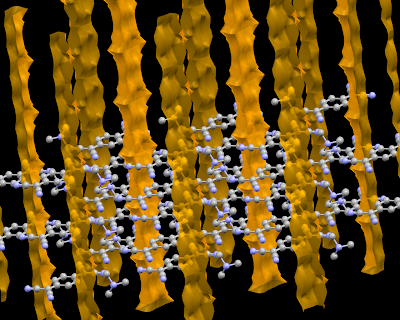
I used refcode MATCQI04 and Display->Voids and Calculate->Packing&Slicing option to produce the picture. If you are interesting in these as well other features of Mercury please check the article in J. Appl. Cryst. [DOI: 10.1107/S0021889807067908].
Monday, March 10, 2008
Unix tips
Today I would like to share two link related to UNIX.
The first one is IBM tips how learn 10 good UNIX usage habits.
The second one is The ultimate collection of UNIX cheat sheets by Scott Klarr.
Sunday, February 24, 2008
Introductions not only to Quantum Chemistry
Supercomputer Institute at University of Minnesota presents set of PDF files being nice introduction to resources available there. Most of them are related to Quantum Chemistry, but there is also CSD System and Material Studio. If you are interested please check the link.
Thursday, February 21, 2008
4 blogs - 4 maybe not so different subject
I would like to present 4 interesting blogs from 4 different area:
- Bash Cures Cancer, how it is easy to guests, is a nice blog mostly about Bash tips&trick. However, you can also find infos about other FOSS.
- I'm not sure if you can call Molecules of the Month @ 3DChem a blog. I think it's older than idea of blog (it has been started in 1996). The subtitle (molecules of the month) indicates one molecule per month, but molecules have been added in random manner - no molecule between October 2007 and January 2008 and 4 in January. Anyway, the choose of molecules are quite good and the additional information can be really useful.
- Bad Astronomy Blog is a good blog about astronomy. I visited it first because of this entry, especially because of this picture.
 Just be aware that from time to time there are some politics/religion related entries.
 - Finally, Online Video Streaming Archive is looking promising place where Nature (one of the best/the best scientific journal on Earth ;) presents streaming videos that feature interviews with scientists behind the most important present research.
Wednesday, January 30, 2008
Dalton problems 2: Too long input record (ERI)
Problem
My CC calculations stopped with the forrtl: severe (22): input record too long, unit 9, file /tmp/niewod/RhbCCS/betaccs_rhb631+gd/CCSD_IAJB error message.
I changed four things and the job finished properly.
- First I changed a machine, but both were Itanium.
- Next I lowered the print level from 3 to 2.
- In the original jobfile I requested a direct calculation in a CC part, in the new one I put .DIRECT keyword in a main part (for all calculations).
- Finally I requested more memory (1900mb).
forrtl: severe (32): invalid logical unit number, unit -10001, file unknown
I reran jobs with new commands at the first machine, and it worked. Next I upgraded print level to 3 and job finished with success. So the issue could be cause by small amount of requested memory or direct/non-direct calculation in a HF,MP2 or CC calculation.Files
Monday, January 21, 2008
Dalton problems 1: Direct and NonDirect HF
Short introduction
Once, I tried to create a website with notes on my Dalton's problems. I have had not time to upgraded it because Quantum Chemistry (and Dalton) has become much less important for me. Recently, I've decided that the best way to save my notes would be to add them as entries in my English blog. So they are.
ProblemI found difference between direct and non-direct Hartree-Fock results. The direct calculation didn't converge when non-direct did (look into the files below).
AnswerThe reason of my problems was a very sharp convergence criteria. The screening in the direct SCF gives round-off errors, which makes it impossible to converge to 1.0D-10. (The default screening is 1.0D-14, which is usually safe, unless users ask for very sharp convergence,as I did!) Disable screening in the direct SCF, resolve my problem. I had to add:
**INTEGRALS
*TWOINT
.IFTHRS
20
When convergence was set to 1.0D-09 the difference between direct and non-direct results disappear and both calculations converged in 28 iterations, with (nearly) the same energy:
- direct_rhb631+gd.out: -551.031670938128
- nodirect_rhb631+gd.out: -551.031670938119
I would like thanks Kenneth Ruud and Hans Jorgen Aa. Jensen for help.
FilesFriday, December 28, 2007
PC GAMESS benchmarks
Alex Granovsky presented the results of the PC GAMESS (version of Gamess US designed to work better on x86 architecture) benchmarks on new AMD Opteron and Intel Core2 processors. You can find them here.
The most important observations are:
- Intel CPUs are much faster,
- but AMDs scale better with number of cores.
BTW. You can find other interesting benchmark in the Performance section of the PC GAMESS website.
Friday, December 21, 2007
Tips for starting MacOSX apps
- If you want to start a MacOSX applications from a terminal (or a shell script) you have to use the open command, i.e.:
open /Application/Firefox.app(based on xahlee.org) - If you need to write a wrapper starting a binary file (which is inside of a MacOSX app) with some options you can use following construction:
HERE=`dirname $0`; $HERE/name.x -optionsThe same construction is useful if you need to set some environment variables. - Sometimes is it necessary to have a location of an app, but apps can be place in a very strange places. MacOSX binaries are located third level deep inside of an app, so the following command save location of an app in the TOPDIR variable:
TOPDIR=`cd $HERE/../../../; pwd`
Sunday, December 09, 2007
3D in Linux
There is a very interesting overview of present state (Nov 2007) of 3D graphic card drivers on Mitch Meyran's blog.
Wednesday, December 05, 2007
Friday, November 02, 2007
OpenGL and Windows
I'm starting to me more interesting in 3D graphic. Looking for some information about OpenGL on Windows I found Lucian Wischik old webpage. Maybe information collected on it isn't the latest news, but at least one thing is quite interesting. There is a register key which keep information about which library provided OpenGL functionality on your computer.
HKEY_LOCAL_MACHINE\Software\Microsoft\Windows\CurrentVersion\OpenGLDrivers.
The another interesting finding is OpenGL Extension Viewer provided by RealTech-Vr. It works on Windows, MacOSX and under Wine.
Monday, September 10, 2007
Getting the Molcas CASPT2 exciation energy
This is the short bash/awk script printing an energy of excitation to a first excited stated obtain by CASPT2 method in Molcas6:
for i in *.log
do echo $i
grep "Total energy:" $i| gawk ' BEGIN {l=1} {if (l==1) {a=$3} else if (l==2) \
{b=$3; print 27.2097*(b-a)} l++} '
done
Friday, August 17, 2007
LaTeX font catalog
If you need nice, non-standard fonts for LaTeX visit Palle Jørgensen LaTeX Font Catalogue.
Subscribe to:
Posts (Atom)